
Receive instant WhatsApp notifications every time a new order is placed on your Shopify store - no plugins, no apps, no code. BeepMate connects to Shopify's built-in staff notification system using a simple email address, so setup takes just a couple of minutes.
From your Shopify admin, go to Settings ➡ Notifications.
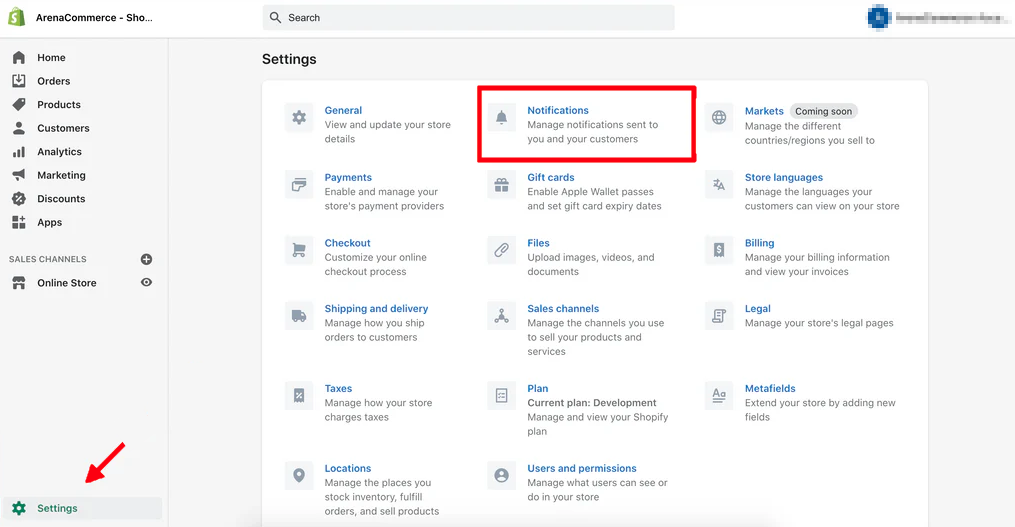
Within Shopify, click Staff notifications.
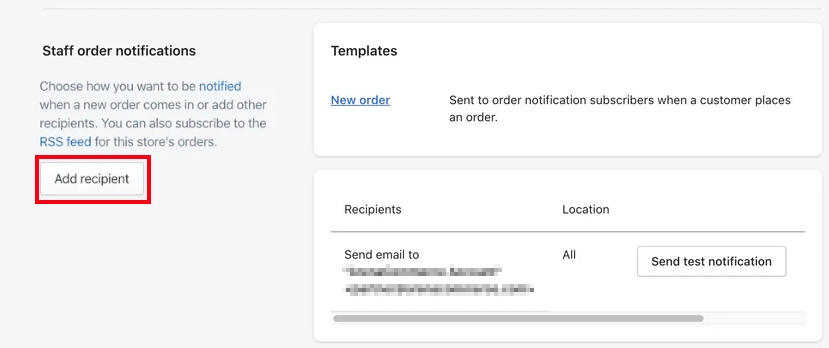
In the Recipients section, click Add recipient.
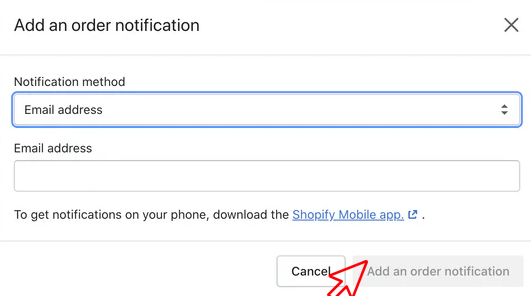
From the first drop-down menu select Email address, and then enter your personal beepmate email address i.e. 9721234567@beepmate.io
Every time Shopify sends a staff notification - new orders, cancellations, fulfillments - it will be forwarded to your WhatsApp instantly via BeepMate.