NOW WITH AI POWERS 
BeepMate Logo

Send Automated Notifications to a WhatsApp Group

BeepMate is one of the very few services that can deliver automated notifications directly to a WhatsApp group - without requiring a WhatsApp Business account or Meta approval. Simply invite BeepMate to your group and notify your entire team instantly whenever a new email arrives or an API call is triggered.

A nice use-case is reacting to BeepMate messages in the group, so everybody knows if the notification was handled.
Note: Group notifications is a paid feature. You need to become VIP or PRO to use it.
1

Group settings

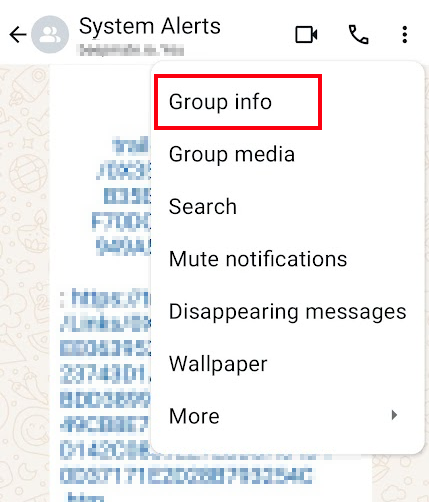
Open WhatsApp, open the group you wish to get notifications to, click three dots menu on the top and choose Group Info.

Group settings
2

Get group link

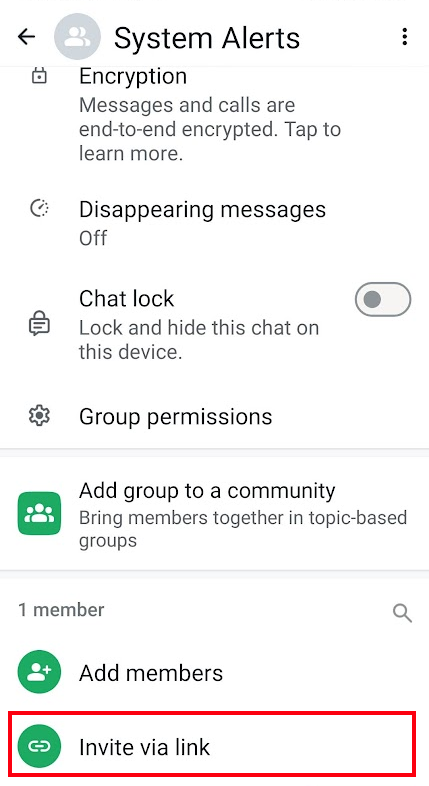
Click Add MembersInvite via link.

Get group link
3

Copy group invite link

Click Copy link to copy the group invite link to your clipboard.
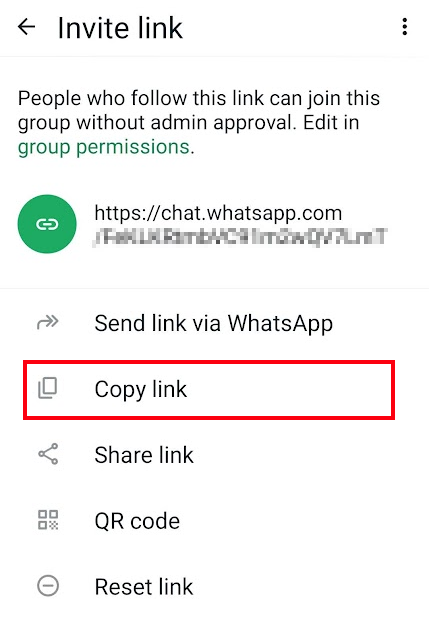
Copy WhatsApp group invite link to clipboard
4

BeepMate group invite

Go to the BeepMate chat and type the GROUP command.
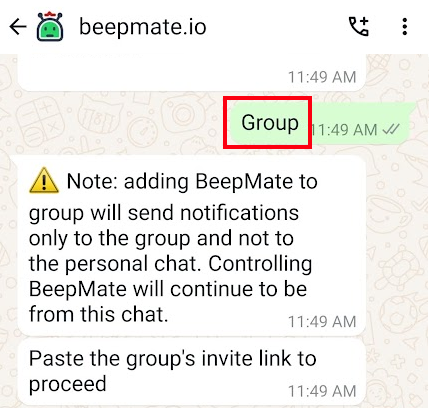
BeepMate group invite
5

Paste group link

Paste the group link (that you acquired on step 3) into the BeepMate chat.
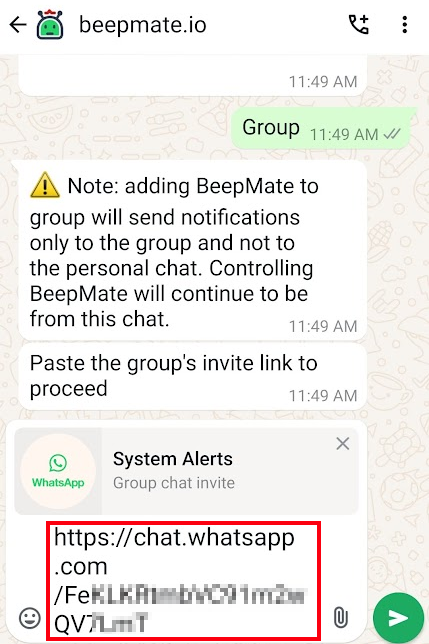
Paste group link into BeepMate
6

That's it!

BeepMate is now a member of your group. Send notifications to the group by emailing the group's dedicated BeepMate address, or by using the BeepMate API. Every member of the group will receive the notification instantly.
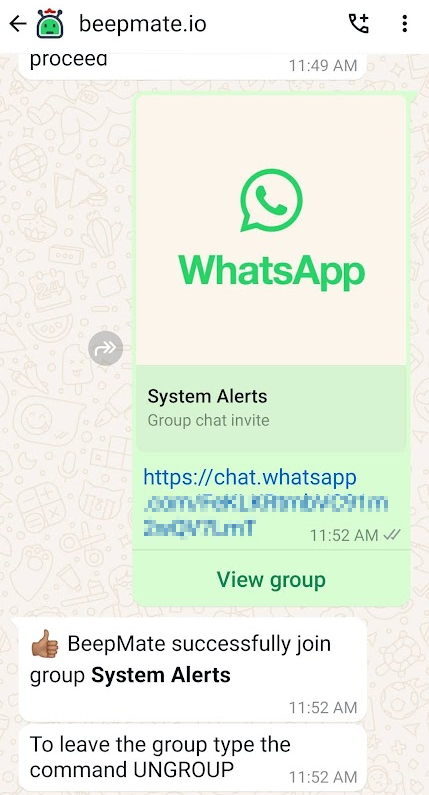
Configure BeepMate plugin
Note: To send notification to Community Announcements group you must make BeepMate admin of the Announcements group. This is not needed for regular groups.
When BeepMate is joined to a group, only notifications are sent to the group. All other commands and actions to the BeepMate bot are still processed in the BeepMate chat.
To see a list of connected groups, type the GROUPS command in the BeepMate chat. To remove BeepMate from the group just type the UNGROUP command.