
Automatically send Framer form submissions to WhatsApp, instead of or alongside email.
BeepMate connects your Framer site's forms directly to WhatsApp through BeepMate API. Whenever a visitor submits a form on your website, you'll receive an instant WhatsApp message with the form submission.
Main Features:
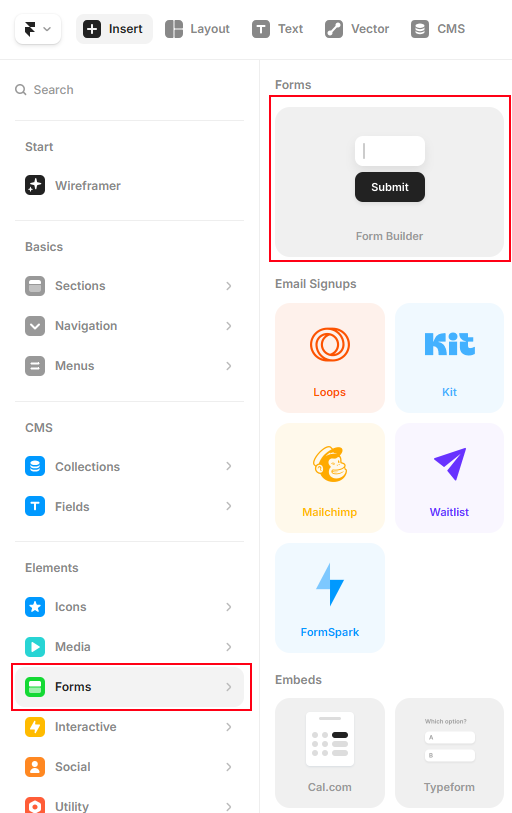
In Framer editor, click Insert → Forms and add Form Builder component.
Design your form as you wish, add Labels and Form Fields etc.
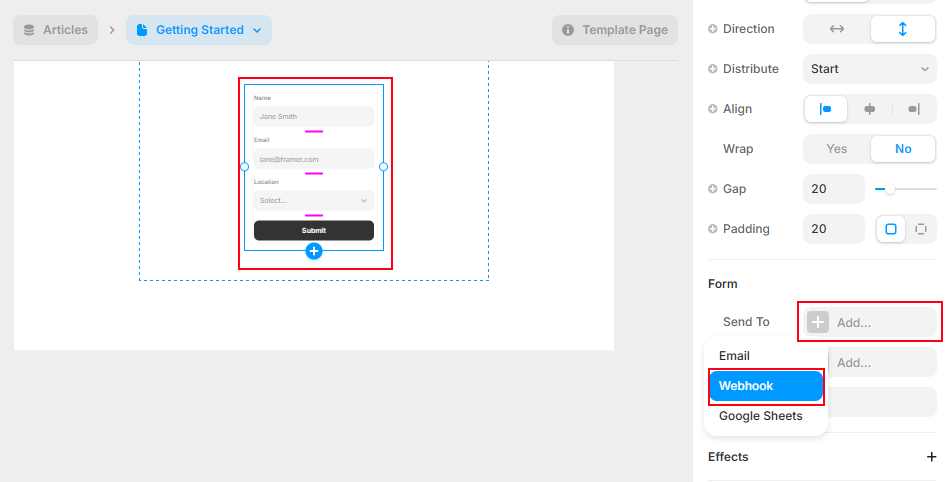
Select the Form Component (not just one of the fields) and scroll to the Form section in the right properties pane.
In the Form section, click Send To ➡ Add ➡ Webhook.
For the next step you'll need the BeepMate API link:
https://beepmate.io/framer?key=YOUR_KEY&id=YOUR_IDReplace
YOUR_KEYand
YOUR_IDwith the correct details from the API command in the BeepMate bot.
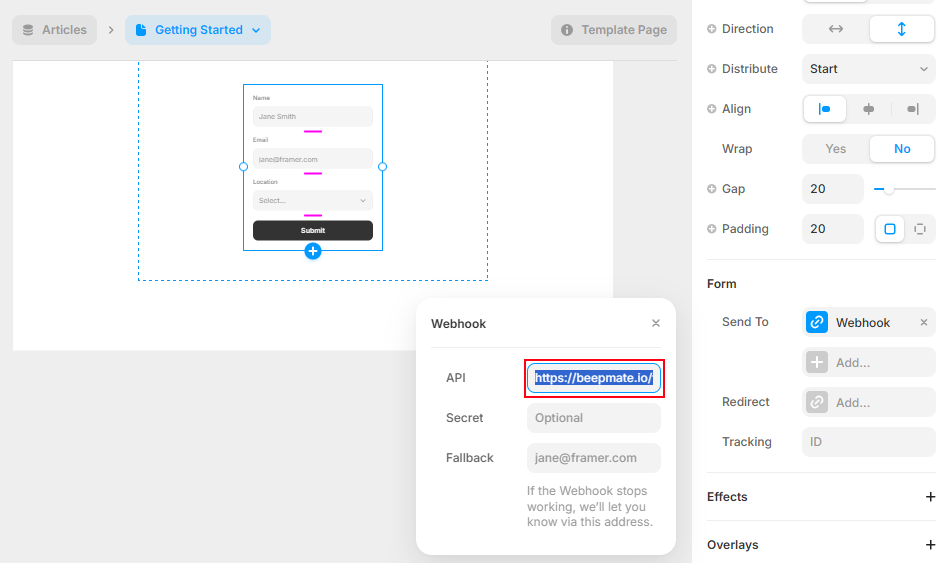
In the popup Webhook setting window, add the BeepMate API link.
Click Publish button and that's it! All Framer form submissions will automatically be delivered to your WhatsApp.